
A New Kind of House Call: Is Telemedicine Right for You?
From preparation to privacy, UCSF experts explain how to get safe, stress-free virtual care.
Image
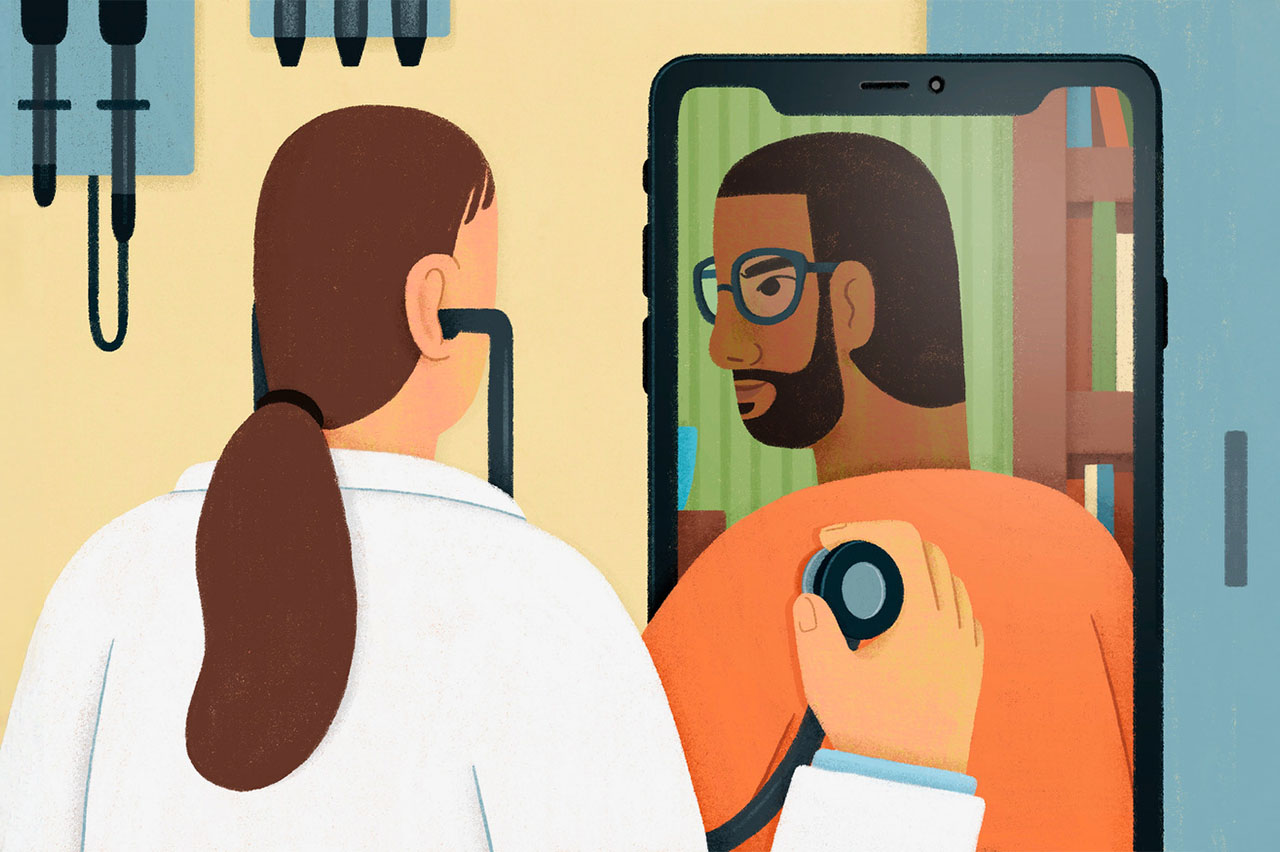
Telehealth is reshaping health care, giving people easier access to providers through virtual visits. While remote care offers convenience, being prepared for an online appointment can make your experience more effective. UCSF telehealth experts Maria Byron, MD, and Patty Nason explain how virtual services offer a flexible and convenient way to support your well-being.
Image
Image
How can patients get ready for a telehealth appointment?
As with any appointment — virtual or in person — you should prepare a list of questions and concerns for your provider, says Maria Byron, MD, a primary care physician and the associate chief medical information officer for UCSF ambulatory services. That will help maximize the time you have together.
Also, if you’re nervous about logging on, try a test run before your session. If you’ve never been on Zoom, or have recently changed your equipment, practice with the device you’ll be using, says Patty Nason, senior telehealth program manager at UCSF’s Telehealth Resource Center.
She also suggests finding a quiet, private space where you can speak freely. If you’re in a busy area, consider stepping outside or away from the crowd. Some patients even attend appointments from their cars — just be sure you’re not driving, she says.
Are some types of conditions better suited for virtual care?
Many patients prefer to hold appointments with mental health providers online, because they may feel more at ease in their own home. “If you feel comfortable with the technology and you’ve developed rapport with the therapist,” Byron explains, “telehealth works well. But if you prefer to come in, you absolutely can.”
In addition, many common conditions like colds, flu, or COVID can be handled via telehealth, she says. Medication management, lifestyle counseling for conditions like diabetes and weight loss, and reviewing recent labs or test results can also be done virtually.
“Most UCSF clinics offer telemedicine appointments. For same-day care, UCSF has Virtual Express Care through MyChart at many of our clinics. Plus, all UCSF patients can access virtual urgent care using Express Care. You simply join a queue in MyChart and are typically seen within 10 or 15 minutes. It’s really convenient for time-sensitive health concerns,” Byron notes.
During a virtual appointment, your provider can guide you through some self-exam techniques, but certain conditions will still require a hands-on evaluation. Basically, if a doctor needs to conduct a physical exam to diagnose a health concern, telehealth won’t be enough, the experts say.
“If you’re short of breath or having new pain, you’ll need to be seen in person; that’s the only way some procedures or interventions can take place,” Byron explains.
What if a patient wants support during a telehealth appointment — can others join?
Telehealth visits make it easy to include multiple people in an appointment, and participants don’t even need to be in the same location, Nason explains. For example, if two parents want to be involved in their child’s appointment — one at home and one at work — they can both join from different places. The patient or their proxy can invite anyone they choose using the appointment link in MyChart.
“This can be especially helpful when a caregiver or trusted friend joins a visit involving important medical news, such as a cancer diagnosis, to provide emotional support and help process the information,” Nason adds.
Are there any common myths or fears patients have about telehealth?
“People might have a misperception that a doctor isn’t providing the same level of care virtually as they would in person,” Nason says. “But we frequently hear from patients that their doctor seems more informed and engaged during telehealth appointments. It might be because at many in-person appointments, your provider may be taking notes on the computer, with their back to you. But online, you’re looking at each other.”
Patients are often more relaxed as well. “There’s no hassle with transportation or parking,” she says. “Providers tend to be on time for video visits, and if they are running late, we can easily notify patients, who’re at home — not sitting in an office.”
How can patients ensure their telehealth care is high-quality, safe, and secure — and avoid scams or low-quality services?
Make sure communications are coming from your provider and not a third party, Byron and Nason advise. “Choose telehealth services offered by organizations you trust,” Nason says. “Also, check the cost: Does it seem too good to be true? And don’t download an app outside your device’s app store or click on unsolicited emails or links claiming to offer services.
“If you are getting any sort of request for information and it’s not coming from your doctor directly or through a secure portal like MyChart, call your doctor’s office to make sure it’s really them asking,” Nason continues. “It’s not that different from avoiding other kinds of potential fraud; if you get a weird message from your bank, you’re going to call your bank to check if it’s legitimate.”
How is UCSF working to make telehealth more equitable for patients with limited internet access, language barriers, or other challenges?
Accessible and culturally competent health care is a priority for both in-person and telehealth appointments, say the experts. It’s about making sure UCSF has the right tools available and is helping patients understand their options.
“We have a website with instructions in 10 languages,” says Nason. “For patients who prefer languages other than English, certified medical interpreters can help them log into MyChart and access care. We offer on-demand interpreters for about 200 languages. Closed captioning and ASL interpreters are also available for virtual services.”
“The nice thing about Zoom is that you can use multiple devices: a computer, tablet, or phone,” Nason explains. “Zoom also works with screen readers and is really good about adjusting resolution or audio based on your internet speed. Or you could go to a place that has Wi-Fi, like a coffee shop. If connectivity is problematic, we can also arrange phone calls.”
How do you ensure compliance with HIPAA and other privacy regulations?
UCSF has a security agreement with Zoom that ensures all patient information is protected and HIPAA-compliant and that recently added two-factor authentication to MyChart for stronger security. After you enter your password, you’ll get a code on your phone that you’ll also need to enter to log in — an extra step to protect your health information.
How is UCSF using emerging tools like remote monitoring or artificial intelligence to improve virtual care?
“Many of our clinicians use secure AI scribe tools during patient visits. With your permission, this software securely records the appointment and creates a first draft of the visit note. Your clinician then reviews and edits the AI-generated draft before it’s added to your medical record, ensuring everything is accurate. AI helps capture details from your conversation so your doctor can spend more time listening and engaging with you instead of typing,” Byron says.
UCSF clinicians may also suggest that patients use wearable devices, such as glucose monitors and blood pressure cuffs, she adds. “These devices remotely share information with your care team, helping us track your health and make timely care decisions even between visits.”
The next era of virtual blood pressure monitoring technology
Image

UCSF is launching a study that tests whether a smartphone camera app can measure blood pressure as accurately as a traditional blood pressure cuff. Using advanced technology — like pulse transit time, which measures how fast your heartbeat travels through your body, and facial blood vessel analysis, which detects tiny color changes in your face as blood flows through your vessels — the app presents a promising, streamlined approach.
Only about a third of patients currently use blood pressure cuffs at home, even though many need regular monitoring — from people with everyday hypertension to those managing heart failure or high-risk pregnancies. And integrating those readings into electronic health records is often tricky. A less-cumbersome method could increase the accuracy of at-home readings, says Sandeep “Sunny” Kishore, MD, PhD, who is leading the study. “Even if the blood pressure isn’t spot-on,” adds Kishore, a primary care physician and associate professor of hospital medicine and of clinical informatics and digital transformation, “the app could be valuable for tracking trends in individual patients over time.”
For the study, patients will use both the app and a cuff at home for about a month, securely sharing their results with care teams to assess accuracy and ease of use. By enabling remote tracking of vital signs like blood pressure, UCSF hopes to improve access, reduce barriers, and use data to personalize care. The findings could pave the way for smarter, more seamless virtual care solutions.
Where do you see telehealth going in the future?
Making telehealth easier to use and available to more people remain top priorities, say the experts. “We used to have patients driving six hours one way for a 15-minute visit,” Nason says. “Now, telehealth provides a way to access specialists throughout UCSF, making health care more accessible and equitable for everyone. It’s a great equalizer.”